
Risiko365 User Guide and FAQ

Features
Options to make localisations to your instance of the solution such as:
– Alerts
– Adding custom fields to the database
Easy way of communicating with your team on risks, incidents and actions through the built in context conversation
Adding attachments to tickets
Adding proof and asking for team members to review proof
Many views:
- Grid
- Card
- Board
- Timeline
- Calendar
- Gannt
Branding using your own branding
Supports many ISO standards
Very detailed and customised filters
Android or iOS app support
Microsoft Teams integration
Slack integration
Google Workspace integration
Please note: This solution will be hosted on the JSC Consultant Solutions Ltd. SmartSheet platform
Trust Center | Smartsheet
Smartsheet Security Capabilities, Practices, and Safeguards
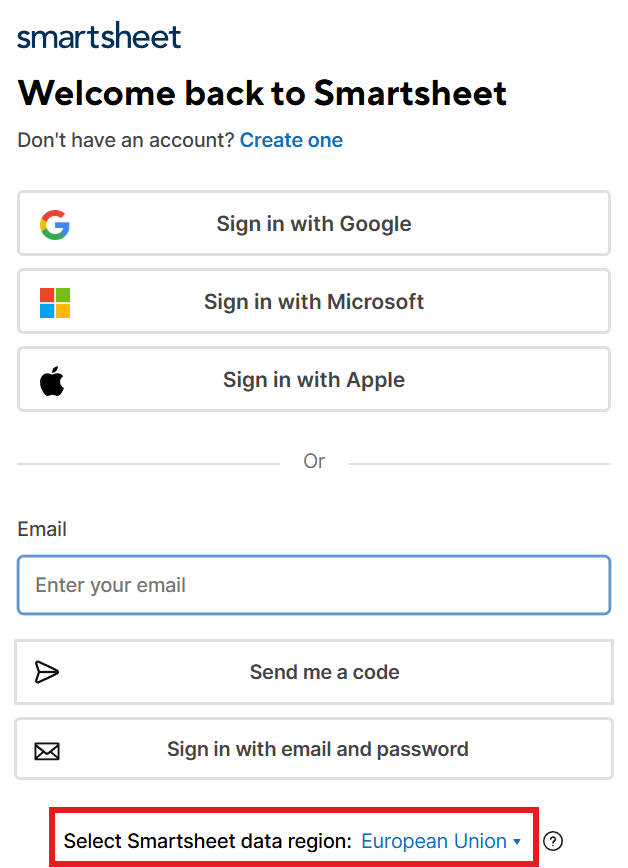
Sign in to SmartSheet
You can use a variety of ways to sign in including your Micrsoft account, username + code or username + password.
Note: It is very important you select the European Union as the data region.
Risk Module
The risk management module is based on an asset risk assessment process where you select assets, determine the risk, likelihood, impact, mitigation, treatment plan and residual risk. You would score the risks based on likelihood and impact and then select controls to mitigate any risks that are not accepted. The module will then help you manage the risk treatment plan as well.
Incident & Action Module
The action module is where you log a nonconformity, an incident, an event, an opportunity for improvement or an action from your management review. You determine root cause, corrective action, owners, plans and deadlines.
Recurring Action Module
The recurring action module is the module that will help you with all those recurring tasks that are built into your ISMS. These could for example be to run an annual management review or a quarterly business continuity test exercise. In this module you set the action once and the module will help remind you, it will enable you to record the outcome of the action (so you have evidence to show the auditor) and once an action has been done a new action will be set according to the chosen frequency.
Recurrence Catalog
Contains a list of typical recurring actions which can be configured to the specific ISMS actions required by adding or removing actions. This is where you would add any new recurring actions by using the input form.
Root Cause Analysis
https://jscconsultant.co.uk/wp-content/uploads/2022/01/DOC0.7-Five-why-root-cause-analysis.pdf
There is support for the 5 why root cause analysis methodology.
Dashboard
The dashboard is reporting real time on your ISMS. It will for example report on
- Risk Heat Map
- Trends
- Overdue risks
- Root cause analysis
- Age of actions
- Overdue risk/actions by owner
- Etc.
Due Date
The due date will send you a reminder email when an item (risk, action or incident) is due. This can for example be when you expect a risk mitigation to have been implemented or a corrective action to be implemented and closed.
Review Date
The review date will send you a reminder email when an item (risk, action or incident) is due a review. This is for example used when a risk has been closed and you want to review the risk at a later stage, or when you have implemented and closed a corrective action and you want to review the effectiveness of the corrective action at a later stage.
Conversations
Within each ticket item (risk, action, recurring action) you can create conversations, either just as comments or using @someone to include team members in the conversation.
Contacts
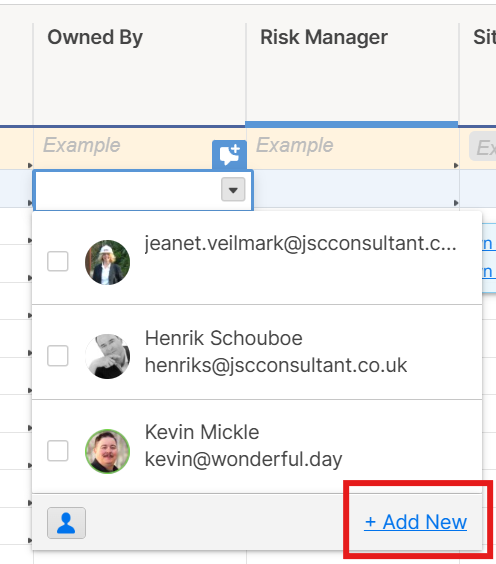
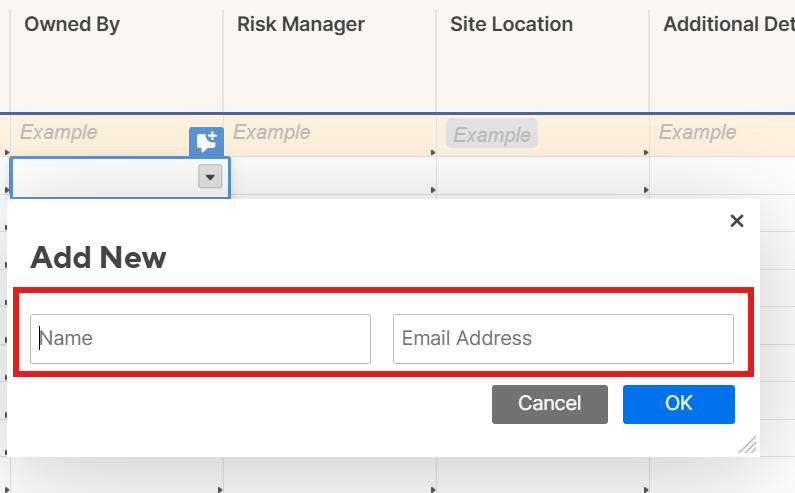
Within the various modules there are fields where you would enter names (risk owner for example). Although you can just enter a name we recommend that you create a contact so you have both a name and their email. Without the email they would not receive the various notifications that the system is generating automatically.
Risk Tool Tip
Within the risk module the system would alert you (using colour and text) if something is not quite right with the risk scoring:
- 𝗧𝗥𝗘𝗔𝗧: Residual Risk 𝗺𝘂𝘀𝘁 𝗱𝗶𝗳𝗳𝗲𝗿 from Initial Risk; cannot be 𝗡𝗼𝗻𝗲
- 𝗧𝗥𝗔𝗡𝗦𝗙𝗘𝗥: Residual Risk 𝗺𝘂𝘀𝘁 𝗱𝗶𝗳𝗳𝗲𝗿 from Initial Risk; cannot be 𝗡𝗼𝗻𝗲
- 𝗧𝗢𝗟𝗘𝗥𝗔𝗧𝗘: Residual Risk 𝗺𝘂𝘀𝘁 𝗺𝗮𝘁𝗰𝗵 Initial Risk
- 𝗧𝗘𝗥𝗠𝗜𝗡𝗔𝗧𝗘: No Residual Risk allowed
Attachments
Within each ticket item (risk, action, recurring action) you can create attachments.
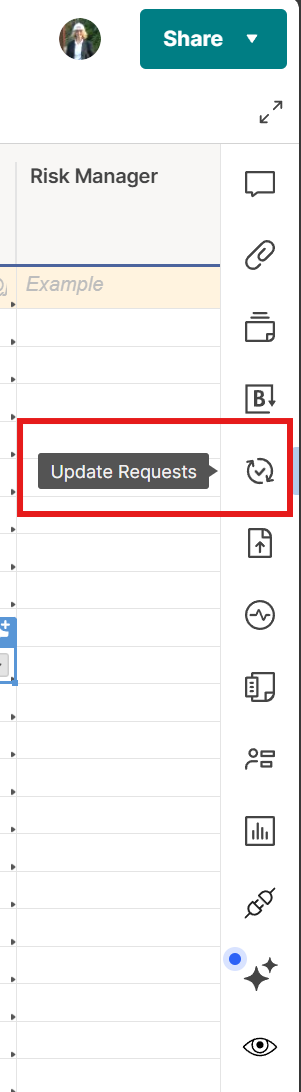
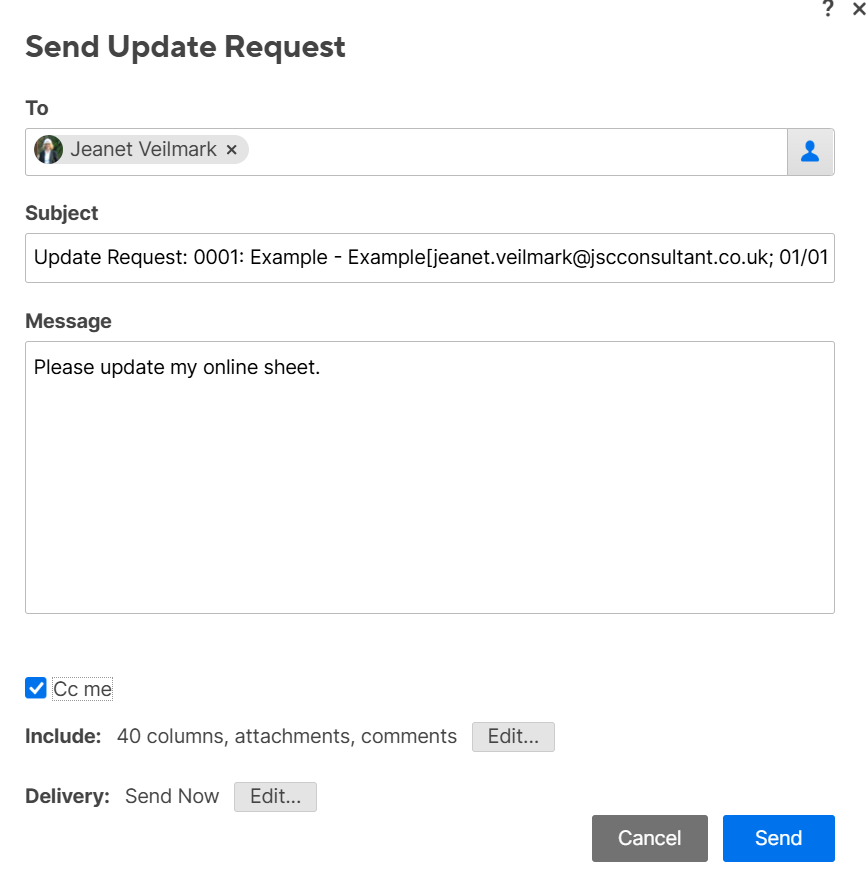
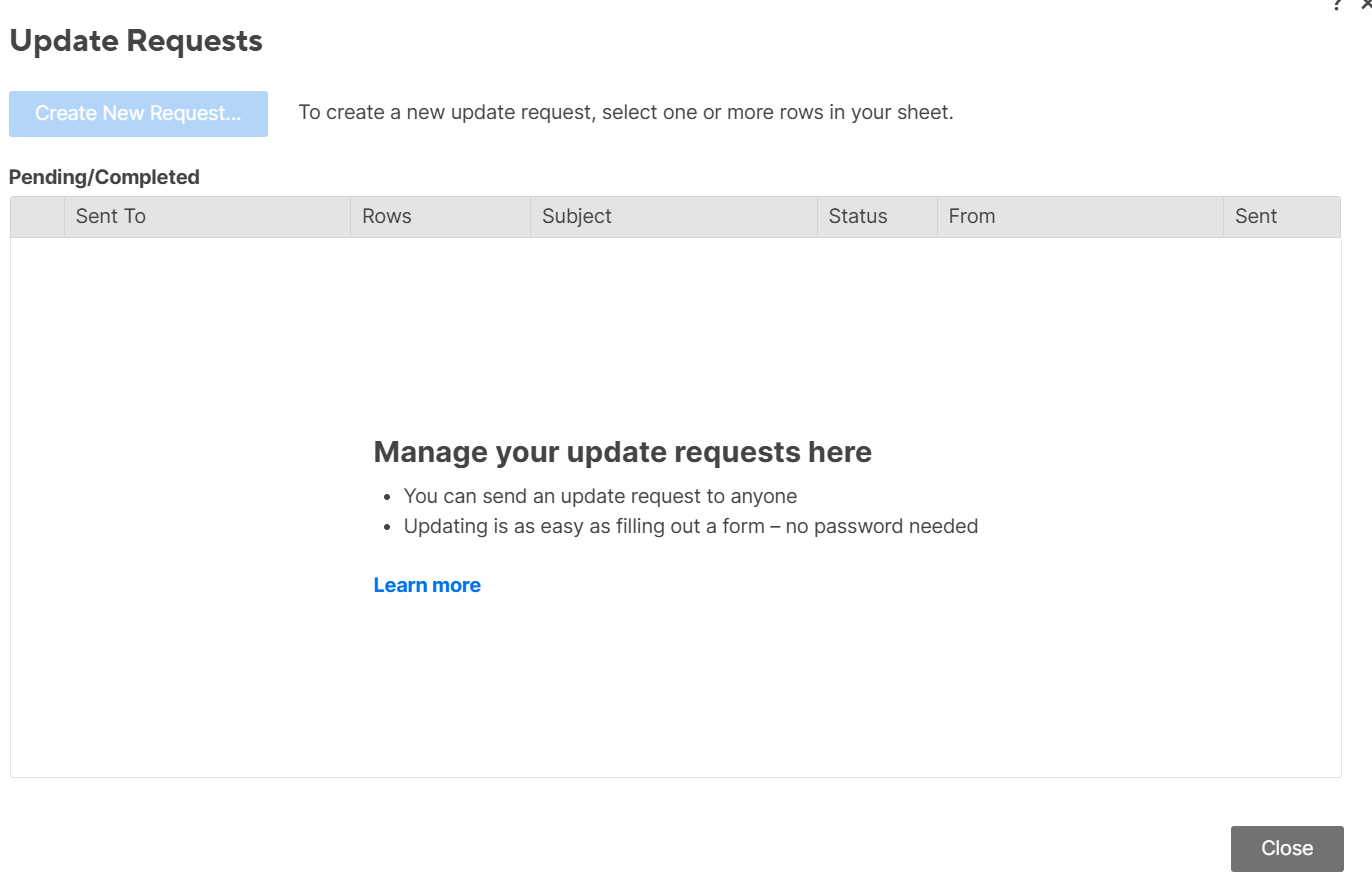
Update requests
Within each ticket item (risk, action, recurring action) you can create update requests.
Some update request are fully automated.
Views
The system offers may different views:
- Grid
- Card
- Board
- Timeline
- Calendar
- Gannt
NOTE: If you double click the row number within grid view it opens up a dialogue box for that specific row where you can scroll through all the fields and make edits.
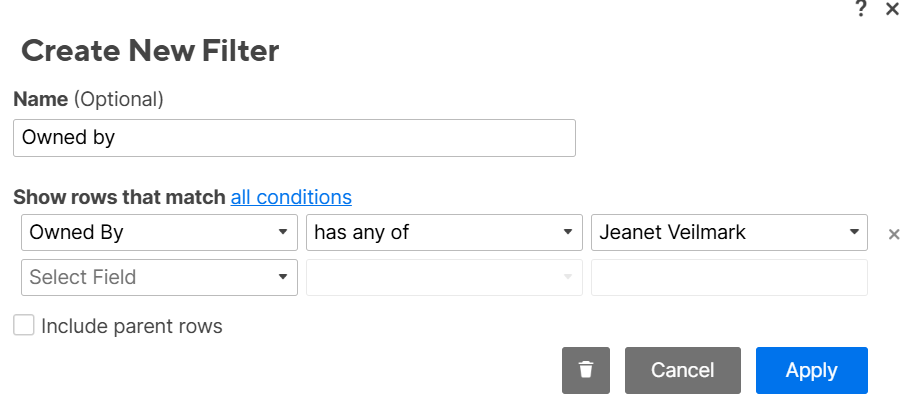
Filter in a view
You can setup filters to quickly view specific information in a view. This could for example be a filter for specific risk owner or the findings from a specific audit.
Data entry / Forms
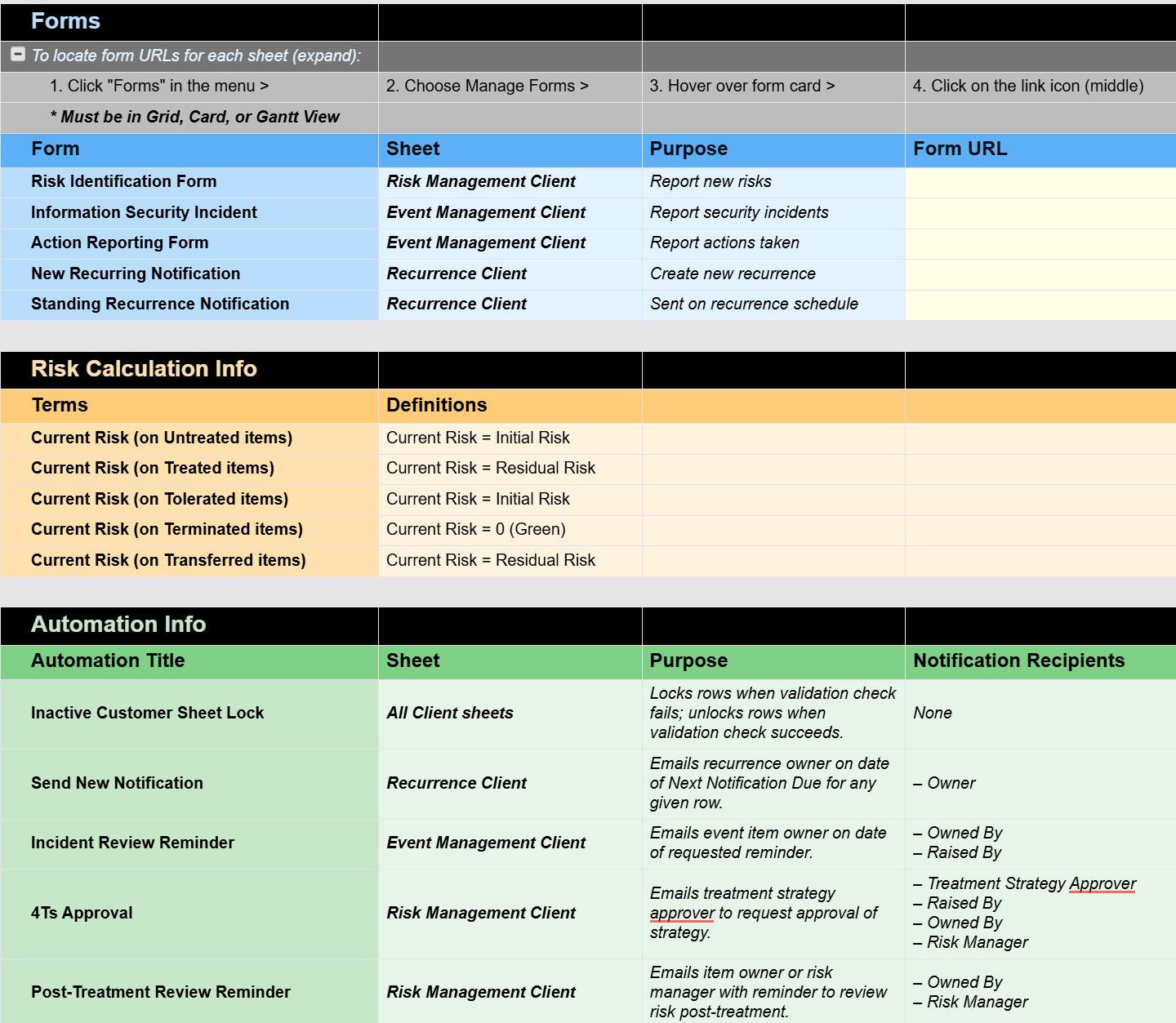
Data can either be entered directly into the database using one of the views or for a more guided process the system has a number of data entry forms. These forms can easily be shared with all staff without giving them access to the system.
Sharing with others
Notifications
Personal settings
My Smartsheet contacts
Activity log
All activity is logged
Information Sheet
EULA
https://jscconsultant.co.uk/eula/